Snow Rider 3D on Mobile
On a phone, open the game and check whether you can steer both ways and jump. If the controls work but the course looks cramped, rotate to landscape and expand the player.
📱 Page layout and game controls are separate
What this site adapts
Navigation becomes a compact menu, content blocks stack without empty card slots and the player fits the available width. Text and guide links remain usable without a running game.
What the game must provide
Steering buttons, a jump input, touch targets and any motion option belong to the loaded game. The surrounding page cannot assume those controls exist or forward arbitrary touches as keyboard input.
🧭 A quick touch-readiness check
Turn to a comfortable orientation
Landscape often gives the course more width. Rotate before the run so a layout change does not interrupt a decision.
Inspect the start screen
Look for the game’s own input instructions and any visible touch buttons. A large start button alone does not confirm usable touch steering.
Test both directions and jump
Use a low-pressure attempt. Check that you can perform each action reliably without covering the part of the course you need to read.
Choose a different setup if needed
If the build has no workable touch controls, a compatible physical keyboard or desktop device is a clearer option than repeated taps that do not map to game actions.
🔍 Common mobile situations
| Situation | What to try |
|---|---|
| Player looks small | Rotate to landscape, then tap Full screen. |
| Tap starts the game but steering does nothing | Check whether the loaded build actually offers touch movement. |
| Screen feels hot and animation becomes uneven | Pause, let the device settle and reduce other active work. |
| Browser bars remain visible | The browser may be using a viewport expansion rather than native full screen. |
| Progress differs from a computer | The phone uses a separate browser and storage context. |
🛷 Read the view your hands leave open
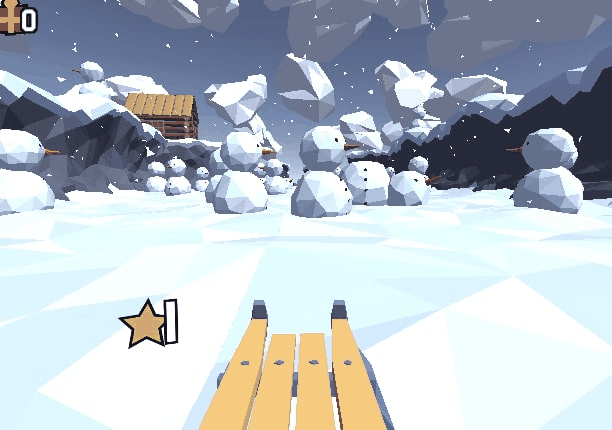
Touch play can place fingers over the game area. Before a serious run, see whether the steering position hides an approaching hazard or the landing space. If it does, the problem is not just reflex speed: information is physically covered.
A larger tablet or keyboard setup may change that tradeoff. Avoid comparing a cramped touch run directly with a familiar desktop best. Use the same setup for several attempts if you want to assess a control habit fairly.